Mappings are performed by creating an expression tree, then compiling it to a function which is cached and executed. The cached function is the mapping execution plan.
Caching execution plans
To cache an execution plan, use:
// Cache the plan to map a PersonViewModel to a new instance of a Person:
Mapper.GetPlanFor<PersonViewModel>().ToANew<Person>();

// Cache the plan to map a Person to a new instance of a PersonViewModel;
// map Person.Title + " " + Person.Name to PersonViewModel.Name:
Mapper
    .GetPlanFor<Person>()
    .ToANew<PersonViewModel>(cfg => cfg
        .Map((p, pvm) => p.Title + " " + p.Name)
        .To(pvm => p.Name));

// Cache the plans to map a PersonViewModel:
//  - to a new instance of a Person
//  - over an existing instance of a Person (an update)
//  - onto an existing instance of a Person (a merge)
Mapper.GetPlansFor<PersonViewModel>().To<Person>();

// Cache the plan to project a Person to a PersonViewModel;
// Projection plans are cached against the QueryProvider, so
// an instance of the queryable being projected is required:
Mapper.GetPlanForProjecting(context.People).To<PersonViewModel>();
By default, execution plans are created and cached the first time two types of objects are mapped - this is a relatively expensive operation, so if you'd like to choose when to incur the cost (on app start-up, for example), you can use a set of calls like the above.
Viewing execution plans
Viewing an execution plan can help you:
- See what will and won't be mapped
- See how your configuration is applied
- Chase down any unexpected behaviour
There are two ways to view a mapping plan - direct from a mapper, or using the ReadableExpressions.Visualizers Visual Studio extension.
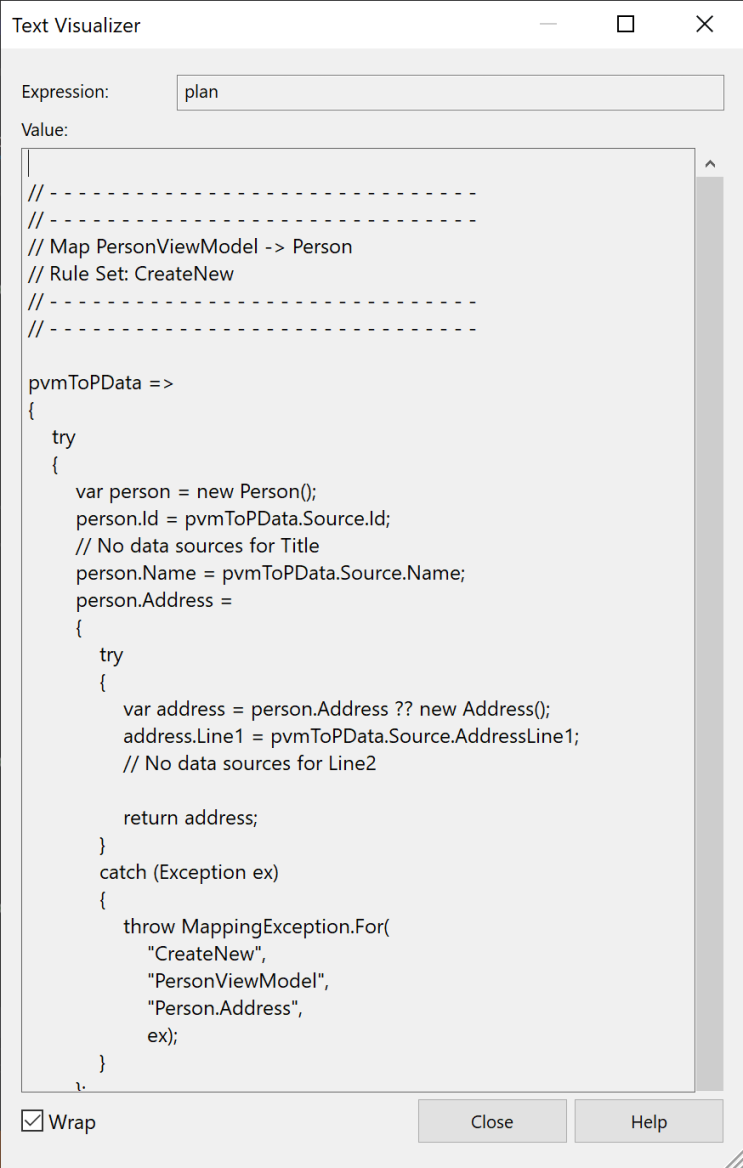
To view a plan directly, assign the result of the call to an explicitly-typed string variable, and view it in the debugger:
string plan = Mapper.GetPlanFor<PersonViewModel>().ToANew<Person>();
An example string plan looks like this:
Alternatively, assign the result of the call to an explictly-typed Expression variable, and view
it using the ReadableExpressions
visualizers.
Expression plan = Mapper.GetPlanFor<PersonViewModel>().ToANew<Person>();
Which will look like this:
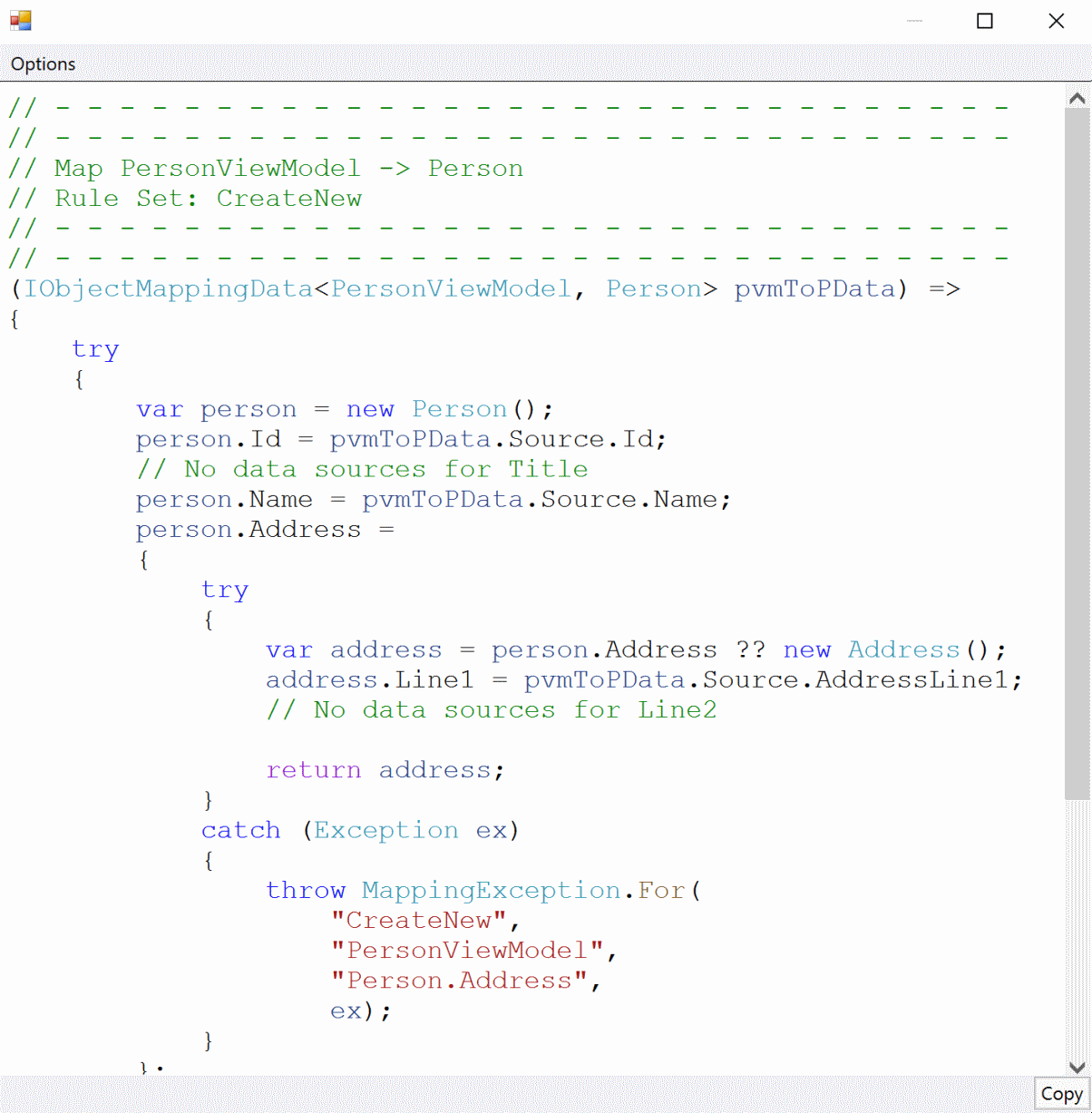
The visualizer provides various options for formatting the plan, making it easier to understand.
Viewing all plans
To view all the plans cached in a mapper, use:
Mapper.GetPlansFor<Person>.ToANew<PersonViewModel>();
Mapper.GetPlansFor<PersonViewModel>.To<Person>();

// View the four cached plans:
//  - Person to a new PersonViewModel
//  - PersonViewModel to a new Person
//  - PersonViewModel updating an existing Person
//  - PersonViewModel merging onto an existing Person
var allPlans = Mapper.GetPlansInCache();

// Or access the plans as an Expression, and view
// them using the ReadableExpressions visualizer:
var allPlansExpression = Mapper.GetPlanExpressionsInCache();